Voltage-Mode vs Current-Mode Ethernet PHY: What Is the Difference, and How Do You Connect the Transformer Center Tap?
Voltage-Mode vs Current-Mode Ethernet PHY: What Is the Difference, and How Do You Connect the Transformer Center Tap?
A voltage-mode and a current-mode PHY differ in how the line driver gets its DC bias, and the difference shows up in one place on your board: the PHY-side center taps of the LAN transformer. A current-mode PHY needs those center taps connected to its supply, because the current it drives into the winding has to come from there. A voltage-mode PHY is biased internally, so its center taps are not tied to the supply and only go to ground through a decoupling capacitor. Which type you have, and the capacitor value, come from the PHY datasheet and reference schematic. VOOHU discrete LAN transformers such as theWHSM24706C2bring each center tap out on its own pin, so the board decides the connection, and our FAE team can check it against your PHY.
What is the difference between a voltage-mode and a current-mode line driver?
Every twisted-pair Ethernet PHY drives its transmit pairs through the LAN transformer, but the output stage can be built in two ways.
- Current-mode driver:the output stage switches a controlled current through the PHY-side winding. That current flows from the supply connected at the center tap, through each half of the winding, into the driver pins. Without the supply at the center tap, the driver has no current to switch.
- Voltage-mode driver:the output stage drives a voltage onto the pins and sets its own DC operating point inside the chip. The center tap does not need to carry supply current; it only needs an AC path to ground.
Neither type is better in general. The type comes with the PHY you choose, so the job on the board is to wire the center taps the way that PHY expects.
| Item | Current-mode PHY | Voltage-mode PHY |
|---|---|---|
| Where the DC bias comes from | The supply at the transformer center tap | Inside the PHY |
| PHY-side center tap | Connected to the PHY supply named in its datasheet | Not connected to the supply |
| Decoupling capacitor to ground on the center tap | Yes, value per the PHY datasheet | Yes, value per the PHY datasheet |
| Example values in one PHY vendor's knowledge base article | 0.022 µF | 0.1 µF |
The example values come from aMicrochip knowledge base article on current-mode and voltage-mode PHYs, which recommends them for that vendor's own PHYs. Other PHYs can call for other values, so take the number from the datasheet of the part you use.
How do you tell if a PHY is voltage-mode or current-mode?
- Read the datasheet section on the magnetics or the MDI interface.Many vendors state the driver type there, or state directly how the transformer center tap must be connected.
- Look at the reference schematic.If the PHY-side center tap goes to a supply rail, the PHY expects current-mode wiring. If it goes only to a capacitor to ground, it expects voltage-mode wiring.
- Do not infer the type from other features.Integrated MDI termination, for example, does not tell you the driver type. The JL2101(D)C product brief states that the PHY integrates its MDI termination resistors; the center-tap connection still has to be taken from the vendor's reference schematic.
- If the documents are unclear, ask before layout.Our FAE team can help check the center-tap connection for the PHY and magnetics on your board.
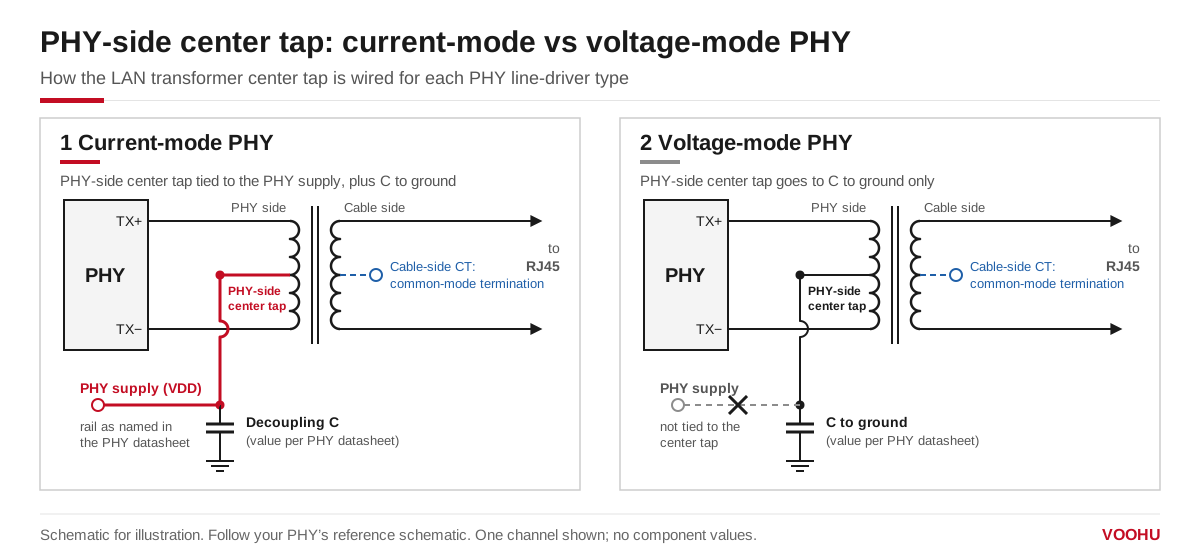
PHY-side center tap wiring. Left: a current-mode PHY, with the center tap tied to the PHY supply and decoupled to ground. Right: a voltage-mode PHY, with the center tap connected only to a capacitor to ground. Component values follow the PHY datasheet.
Getting this wrong can show up as a port that does not link, links only on short cables, or links with errors. When a new board shows these symptoms, the PHY-side center taps are one of the first things to compare with the reference schematic.
How should the Ethernet transformer center tap be connected?
An Ethernet transformer, or Ethernet magnetics, has center taps on both windings of each channel, and the two sides are wired for different reasons:
- PHY-side center taps:wired according to the PHY driver type, as described above. On a current-mode design, decouple the supply at the center tap to ground with the capacitor the PHY datasheet specifies.
- Cable-side center taps:go to a common-mode termination network toward chassis or protective ground. They do not depend on the PHY type. Seehow to connect the cable-side center tap.
Where the common-mode choke sits relative to the transformer can also depend on the PHY. For magnetics structures and choke placement, seehow to connect a LAN transformer to the PHY. For the role of the PHY between the MAC and the magnetics, seewhat an Ethernet PHY chip does.
Where are the center taps on VOOHU LAN transformers and MagJacks?
Before you wire the center taps, check how the magnetics bring them out. The table lists the center-tap pins shown in the schematic of each datasheet.
| Part number | Type | Center-tap pins in the datasheet schematic |
|---|---|---|
| WHSM24706C2 | Discrete LAN transformer, 10G | Chip side: TCT1–TCT4 on pins 1, 4, 7 and 10. Cable side: MCT1–MCT4 on pins 24, 21, 18 and 15. Each center tap has its own pin; no termination resistors or capacitors inside. |
| WHSG24701G | Discrete LAN transformer, Gigabit | TCT1–TCT4 on pins 1, 4, 7 and 10; MCT1–MCT4 on pins 24, 21, 18 and 15. All eight center taps on separate pins. |
| SYT111Q066AA2A1D | RJ45 jack with integrated magnetics (MagJack), Gigabit | The four PHY-side center taps are joined inside and brought out on pin 1, labeled VCC in the schematic. |
| SYT111B002BA2A1D | RJ45 jack with integrated magnetics (MagJack), 10/100 | PHY-side center taps on separate pins: pin 4 (TX) and pin 5 (RX). |
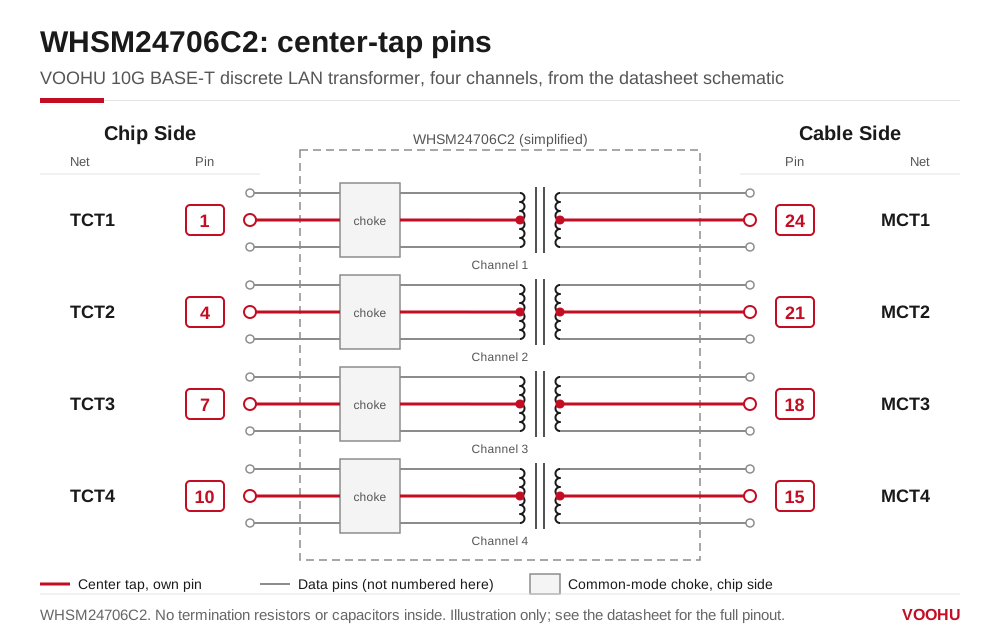
WHSM24706C2 center-tap pins from its datasheet schematic: chip side on pins 1, 4, 7 and 10, cable side on pins 24, 21, 18 and 15. Illustration only; see the datasheet for the full pinout.
With a discrete transformer such as theWHSM24706C2 or WHSG24701G, the PHY-side center taps are separate pins, so you route them to the supply, to the capacitor, or to both, as your PHY's reference schematic shows. With a MagJack such as theSYT111Q066AA2A1D or SYT111B002BA2A1D, part of this wiring is fixed inside the jack, so compare its PHY-side center-tap pins with the reference schematic before you choose it; our FAE team can check the pairing for you. To compare more parts, filter theLAN transformer selector by data rateor open theRJ45 jacks with integrated magnetics.
产品WHSM24706C2
产品SYT111Q066AA2A1D
方案/solution-ethernet/
FAQ
Q1: What does the center tap do on an Ethernet transformer?
On the PHY side, the center tap gives the line driver its DC path: a current-mode PHY takes its supply current through it, and a voltage-mode PHY uses it only as an AC return to ground through a capacitor. On the cable side, the center taps connect the common-mode termination network.
Q2: What capacitor goes on the Ethernet transformer center tap?
A decoupling capacitor from the PHY-side center tap to ground, with the value given in the PHY datasheet. As an example, a Microchip knowledge base article recommends 0.1 µF for its voltage-mode PHYs and 0.022 µF for its current-mode PHYs. On a current-mode design, the capacitor decouples the supply that feeds the center tap.
Q3: What voltage goes on the Ethernet transformer center tap?
There is no single Ethernet value. For a current-mode PHY, the center tap goes to the supply rail that the PHY datasheet names for this purpose. For a voltage-mode PHY, the PHY-side center tap is not connected to a supply at all.
Q4: Does PoE use the PHY-side center tap?
No. Power over Ethernet is applied to, and taken from, the cable-side center taps of the magnetics. The PHY-side center taps are still wired according to the PHY driver type, whether or not the port carries PoE.
Get help wiring the center taps for your PHY
Not sure how your PHY wants its center taps? Send the PHY part number and the port speed through oursample and support form. We can suggest a LAN transformer or MagJack and check the center-tap wiring against the PHY reference schematic. Samples are available for evaluation, and selected parts are free of charge. Our FAE team will be glad to confirm the options for your project. VOOHU supplies RJ45 and SFP connectors, LAN and PoE transformers, common mode chokes and Ethernet PHY and switch chips from Suzhou, China, to more than 1,500 customers.
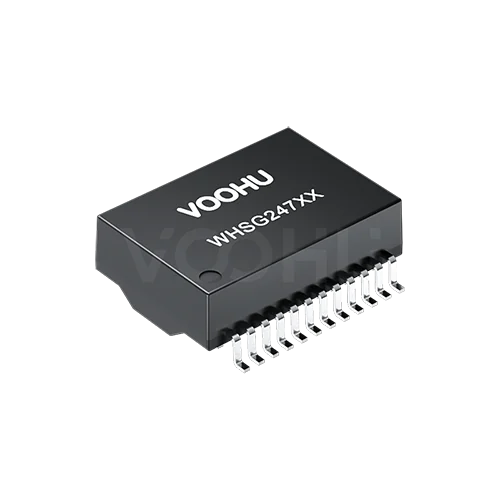 WHSG24701G Single Port SMD Gigabit Base-T PIN24 non-PoE LAN Transformer
> View Details
WHSG24701G Single Port SMD Gigabit Base-T PIN24 non-PoE LAN Transformer
> View Details
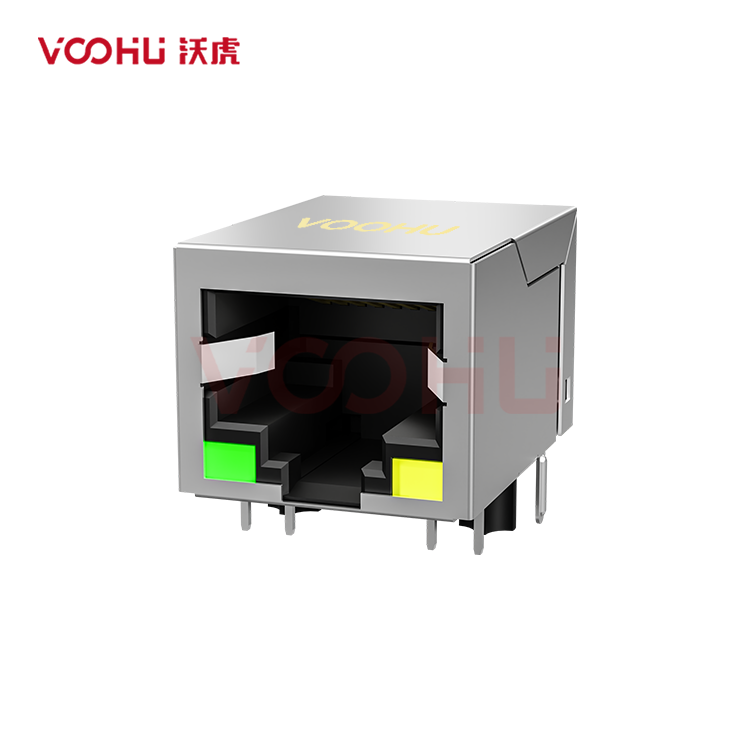 SYT111B002BA2A1D 90° side insertion 1*1 Tab Down 10/100M LED G/Y Shield Tabs DIP RJ45
> View Details
SYT111B002BA2A1D 90° side insertion 1*1 Tab Down 10/100M LED G/Y Shield Tabs DIP RJ45
> View Details
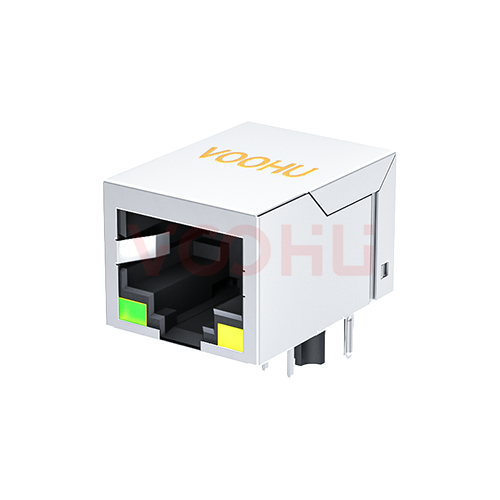 SYT111Q066AA2A1D 90° 1*1 Tab Down LED G/Y 100/1000BASE DIP RJ45
> View Details
SYT111Q066AA2A1D 90° 1*1 Tab Down LED G/Y 100/1000BASE DIP RJ45
> View Details
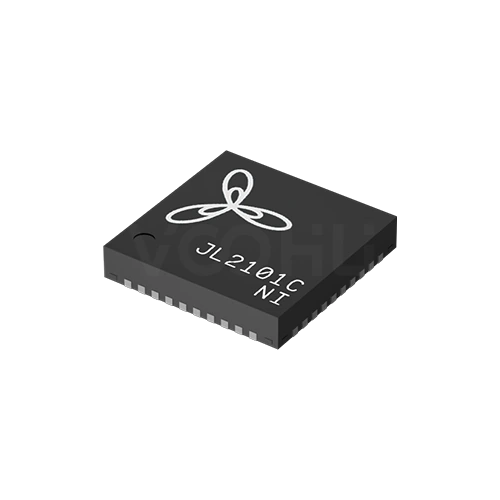 JL2101C-NI Single Port 1000M VCC:3.3V/2.5V/1.8V Industrial Grade RGMII-COP
> View Details
JL2101C-NI Single Port 1000M VCC:3.3V/2.5V/1.8V Industrial Grade RGMII-COP
> View Details
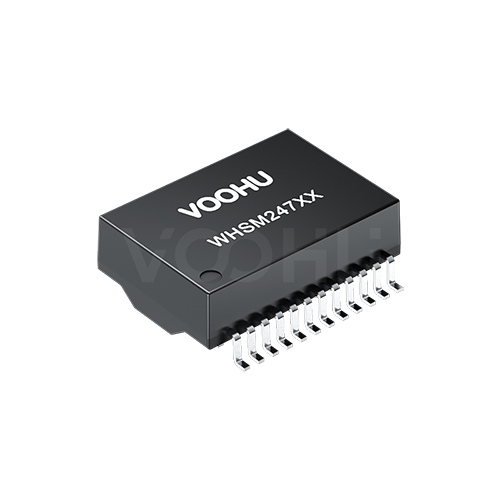 WHSM24706C2 10G Base-T Single Port 24PIN PoE++ LAN Transformer
> View Details
WHSM24706C2 10G Base-T Single Port 24PIN PoE++ LAN Transformer
> View Details
![[New Product Recommendation] CAT6A 10 Gigabit Waterproof RJ45 Coupler Male and Female](/upload/image/20260717/4694ba2c3b52b9d273512e3777f53f84.jpg)