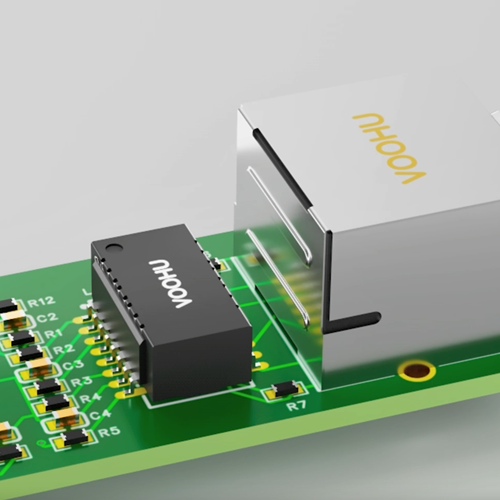
An Ethernet PHY chip (physical layer transceiver) turns the digital data from a MAC into the signals that travel over the cable, and turns received signals back into data. It sits between the MAC inside your processor, FPGA or switch and the LAN transformer and RJ45 connector. The MAC talks to the PHY over an interface such as MII, RMII, RGMII or SGMII; the PHY drives the transformer, which isolates the cable from the board and passes the signal to the RJ45. To choose a PHY, match four things to your design: data rate and port count, the MAC interface your processor provides, the temperature grade, and the package. VOOHU supplies JL-series Ethernet PHY ICs from 10/100 Mbit/s RMII parts to a 2.5 Gbit/s SGMII part, together with the LAN transformers and RJ45 connectors that go next to them.
#What is an Ethernet PHY chip?
PHY is short for physical layer. An Ethernet PHY chip, also called a PHY IC or Ethernet transceiver, implements layer 1 of the network: it encodes data for the medium, transmits and receives it, and recovers the clock and data at the receiving end. On a twisted-pair port it also runs auto-negotiation, so the two link partners agree on speed and duplex, and it reports link status, usually through LED outputs.
The host manages the PHY through a two-wire interface defined in IEEE 802.3: MDC (clock) and MDIO (data). Through it, software reads link status and sets operating modes in the PHY registers.
#What is the difference between a MAC and a PHY?
The MAC (media access control) works with frames: it adds the addresses and the frame check sequence and decides when to transmit. It is usually built into the SoC, microcontroller, FPGA or switch chip. The PHY works with signals: it moves bits on and off the wire and does not deal with addresses. Because the two are separate, the same MAC can serve a copper or a fiber port by changing only the PHY.
Data passes between them over a media-independent interface. The family includes MII, RMII, RGMII, SGMII and QSGMII, which differ in data rate, signal count and clocking. Your processor fixes which one you can use, so check its datasheet before you pick the PHY.
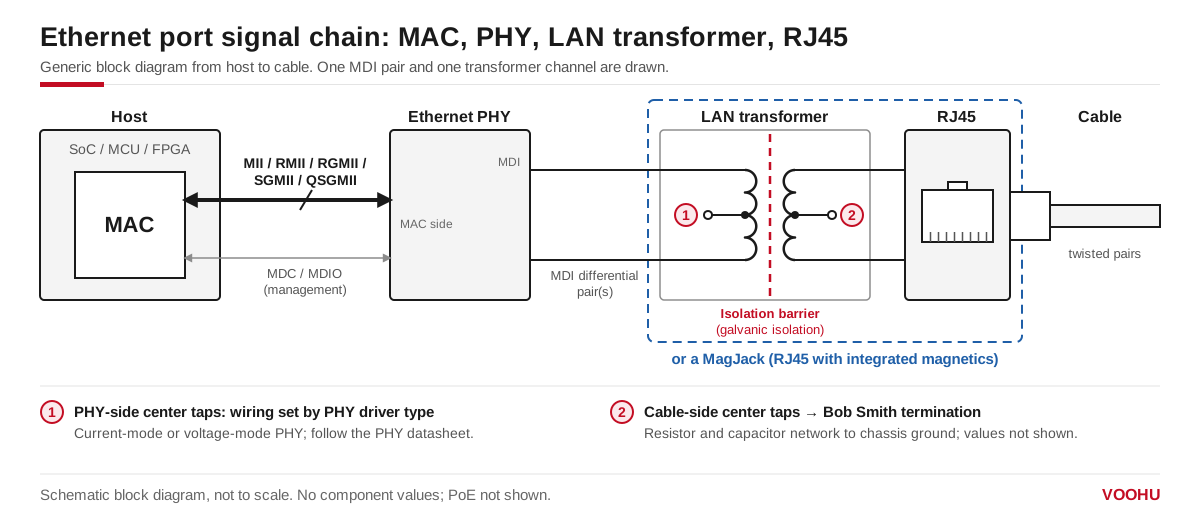
An Ethernet port from host to cable: the MAC talks to the PHY over MII, RMII, RGMII or SGMII; the PHY drives the LAN transformer, which isolates the cable side. A MagJack combines the transformer and the RJ45.
#What does an Ethernet PHY do between the MAC and the magnetics?
- Transmit: it encodes the data from the MAC and drives differential pairs into the LAN transformer. 10BASE-T and 100BASE-TX use two pairs; 1000BASE-T and 2.5GBASE-T use all four pairs in both directions.
- Receive: it equalizes the signal the cable has attenuated, recovers the clock and decodes the data for the MAC.
- Link: it runs auto-negotiation, detects link up and down, and drives the link and activity LEDs.
- Management: it exposes status and control registers over MDIO.
On the line side, the PHY never connects straight to the RJ45. The LAN transformer provides galvanic isolation between the cable and the board and passes the differential signal while blocking DC. Two details on this side come from the PHY datasheet, not from the transformer:
- The PHY-side center taps. Whether they connect to a supply or only to a capacitor depends on whether the PHY has a current-mode or a voltage-mode line driver. See voltage-mode vs current-mode PHYs.
- MDI termination. Some PHYs integrate the termination resistors on the MDI pins. The JL2101(D)C product brief, for example, states that its MDI termination resistors are integrated.
On the cable side of the transformer, the center taps usually go to a common-mode termination network. How to wire it is covered in Bob Smith termination and center tap connection.
#Ethernet PHY vs switch: which one does your design need?
A PHY gives a MAC a port. A multi-port PHY puts several ports in one package, but each port still belongs to a MAC on the host side. A switch chip contains several MACs and the logic that forwards frames between ports, and many switch chips integrate the PHYs as well.
If your processor already has a MAC and you need one port, add a PHY. If the product must forward traffic between several ports without involving the host processor, use a switch chip; VOOHU also supplies Ethernet switch ICs. Multi-port PHYs such as the 8-port JL2308 connect to a switch or SoC that has QSGMII ports.
#How do you choose an Ethernet PHY chip?
- 1.Data rate and medium: 10/100 Mbit/s, 1 Gbit/s or 2.5 Gbit/s; copper only, or a fiber option such as 100BASE-FX.
- 2.MAC interface: it must match what your processor or FPGA provides. RMII and MII are common on microcontrollers, RGMII on many gigabit SoCs, and SGMII on parts with a serial MAC.
- 3.Port count: one port, or a multi-port PHY next to a switch.
- 4.Temperature grade: check the part-number suffix on the product page.
- 5.Package and pin count: they decide board area and routing.
- 6.System features: Energy Efficient Ethernet, IEEE 1588 or SyncE timing, or EtherCAT support, if the product needs them.
- 7.The rest of the port: a LAN transformer for the same data rate, PoE capability if the port carries power, and center-tap wiring taken from the PHY datasheet.
Which VOOHU Ethernet PHY fits your MAC interface?
The table lists the JL-series PHYs VOOHU supplies, grouped by MAC interface. Interface, data rate, port count and package are taken from each series' JLSemi product brief.
Temperature grades are listed on each product page by part-number suffix: commercial (0 to 70 °C), industrial (−40 to 85 °C) and, for some parts, extended (−40 to 105 °C). Check the suffix on the product page before you order samples.
Four parts cover most single-port designs:
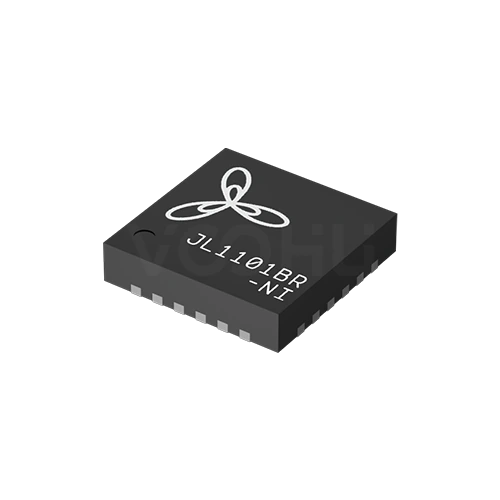
- JL1101BR-NI: a 10/100 port on a microcontroller with RMII, in a 4 mm × 4 mm QFN; the brief states EtherCAT compliance for industrial nodes.
- JL1111B-NI: a 10/100 port when the MAC offers MII, or when you want MII and RMII on one footprint.
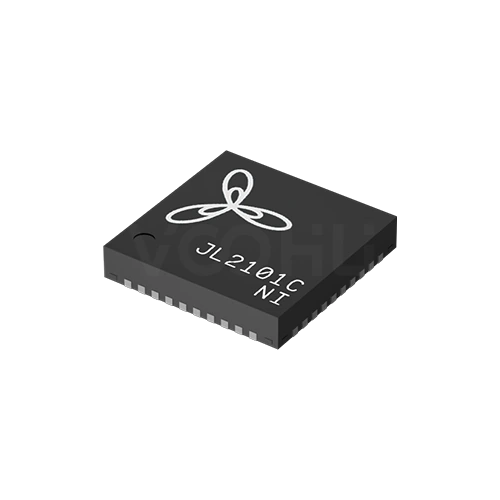
- JL2101C-NI: a single gigabit port on an RGMII SoC, with the MDI termination resistors integrated.
- JL4201-NI: a 2.5 Gbit/s copper port on SGMII, H-SGMII or 2500BASE-X.
To compare the part numbers, open the PHY selector and filter by MAC interface, for example RMII only.
#Which LAN transformer and RJ45 go with the PHY?
An Ethernet chip on its own is not a port. Match the magnetics to the PHY's data rate: a 10/100 port needs a transformer with two channels, while 1000BASE-T and 2.5GBASE-T need four. Choose a discrete LAN transformer when you want to place the magnetics and the RJ45 separately, or a MagJack (RJ45 with integrated magnetics) to save board area. Wire the PHY-side center taps as the PHY datasheet specifies, and choose a transformer with PoE capability only if the port has to carry power.
SolutionEthernetInterface + magneticsView solution →#FAQ
What does PHY mean in Ethernet?
PHY stands for physical layer. In Ethernet it means the chip, or the block inside a chip, that implements layer 1: it encodes, transmits and receives the signals on the cable or fiber, while the MAC above it handles frames.
Is an Ethernet PHY the same as an Ethernet transceiver?
Yes, for copper ports the two names describe the same chip, and many datasheets call a PHY a transceiver. The word transceiver is also used for pluggable optical modules such as SFP, which are a different part.
Does an Ethernet PHY need magnetics?
For an RJ45 port that connects to a cable, yes. IEEE 802.3 requires the twisted-pair cable side to be isolated from the device circuits, and a LAN transformer, discrete or inside a MagJack, provides that isolation. Board-to-board links without a cable are a special case; follow the PHY vendor's application note.
Can I use any LAN transformer with a JL-series PHY?
Use one rated for the same data rate and number of pairs, and connect its PHY-side center taps the way the PHY datasheet and reference design show. Our FAE team can check the pairing of PHY, transformer and RJ45 for your board.
Get help choosing a PHY and magnetics for your port
Planning an Ethernet port? Send your processor or FPGA, its MAC interface and the port speed through our sample and support form. We can suggest a JL-series PHY and a matching LAN transformer or MagJack, and check the center-tap wiring against the PHY datasheet. Samples are available for evaluation, and selected parts are free of charge. Our FAE team will be glad to confirm the options for your project. VOOHU supplies RJ45 and SFP connectors, LAN and PoE transformers, common mode chokes and Ethernet PHY and switch chips from Suzhou, China, to more than 1,500 customers.
Need a quote, samples or selection support?
Part number JL1101BR-NI is filled in for you. Add the quantity and lead time and submit. Our FAE team will be glad to confirm the options for your project.
Before you order: samples, MOQ, lead time and import duties in our ordering guide →