




Link speed
100M, 1G or 2.5G depending on series. All devices also support 10Base-T on the copper side, so legacy links remain available.
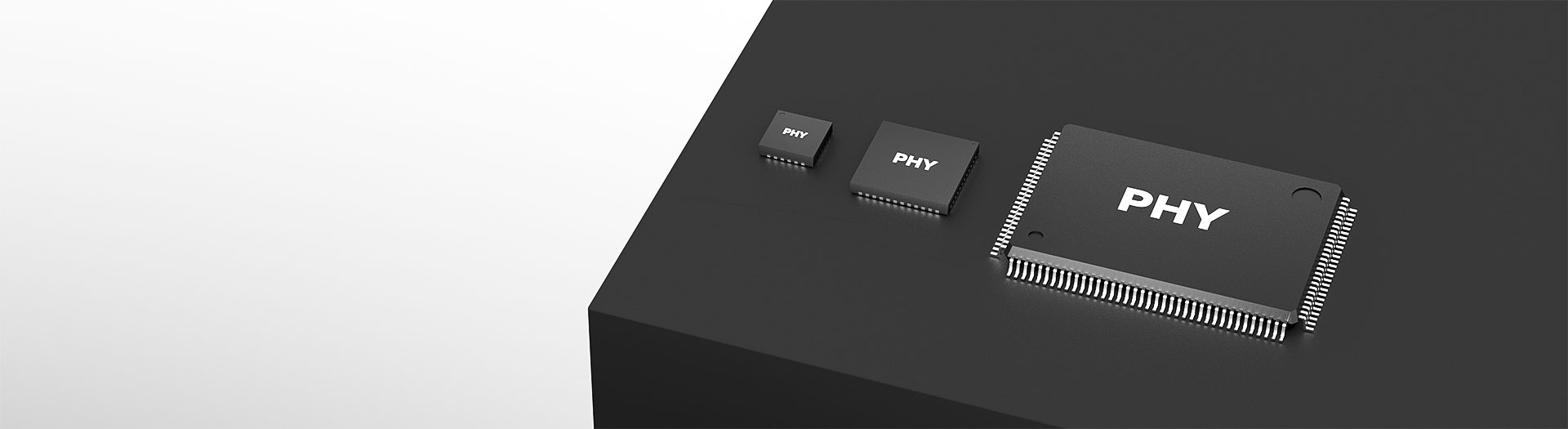
Ethernet-Schnittstellenchips
JL1101 is a single port 100M PHY with an RMII MAC interface and 100Base-FX fibre support, in a QFN24 package measuring 4 by 4 millimetres. The industrial grade covers minus 40 to 85 degrees. Confirm your host provides RMII before selecting it.
Artikelsuche und Produktauswahl
Die Tabelle verwendet die aktuellen Produktdatensätze der englischsprachigen Website, veröffentlichte Auswahlfelder und artikelspezifische Links zu technischen Dateien.
* Spalten „Bild“ und „Artikelnummer“ fixiert · horizontal ziehen, um alle Spezifikationen anzuzeigen
| Bild | Datenblatt | Vergleichen | Downloads |
Serie
|
Datenrate
|
Ports
|
MAC-Schnittstelle
|
V(if)
|
Kupfer-Port
|
Optischer Port
|
Betriebsart
|
Temperatur
|
Gehäuse
|
Baugröße
|
Muster |
|---|
| Bild | Artikelnummer | Datenblatt | Vergleichen | Downloads | Serie | Datenrate | Ports | MAC-Schnittstelle | V(if) | Kupfer-Port | Optischer Port | Betriebsart | Temperatur | Gehäuse | Baugröße | Muster |
|---|---|---|---|---|---|---|---|---|---|---|---|---|---|---|---|---|
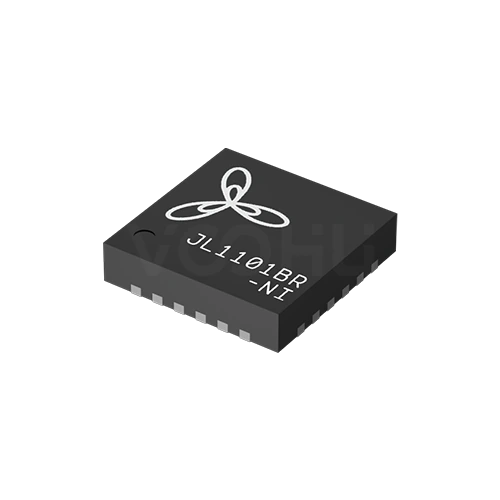 |
JL1101BR-NI | SPEC | JL1101-Serie | 100M | 1 | RMII | 1.8V | 10 Bsae-T | 100 Base-FX | RMII-COP | -40~85℃ | QFN24 | 4*4 mm |
|
Erweitern Sie die ausgewählten Filter oder löschen Sie die aktuelle Suche.
By series
Series are separated by link speed, port count and the MAC interface they present.
So wählen Sie aus
MAC interface first, then speed and ports, then fibre, then temperature and package.
Confirm what your host controller provides: RMII, MII, RGMII, SGMII or QSGMII. These are not interchangeable, and the wrong choice cannot be fixed in software.
100M, 1G or 2.5G, and one port or eight. Eight-port devices aggregate to the host over QSGMII, so confirm the host has that bandwidth.
Some series support 100Base-FX or 1000Base-X, others are copper only. If the design needs a fibre port, check the specific part number rather than the series.
Suffixes separate 0 to 70, minus 40 to 85 and minus 40 to 105 degrees. Choose against the enclosure's internal temperature, not the room.
Parameters
The MAC interface and the temperature suffix decide compatibility more than speed does.
100M, 1G or 2.5G depending on series. All devices also support 10Base-T on the copper side, so legacy links remain available.
Single port for most series, or eight ports on the JL2308 and JL2388. Eight-port devices need a QSGMII-capable host.
RMII, MII, RGMII, SGMII or QSGMII. This has to match the host controller exactly; no external conversion makes two of them equivalent.
100Base-FX on parts of the 100M range, 1000Base-X on JL2201 and 2500Base-X on JL4201. Several series are copper only, marked NA.
The suffix carries it: NC for 0 to 70, NI for minus 40 to 85, NE for minus 40 to 105 degrees. Confirm the grade on the exact part number.
From QFN24 at 4 by 4 millimetres up to LQFP128 at 14 by 14. Pin count rises with port count and interface width.
Vergleichen
Speed, port count and MAC interface together define which series fits a design.
Zur Produktauswahl zurückkehren ↑| Serie | Artikelnummern | Datenrate | Ports | MAC-Schnittstelle | V(if) | Kupfer-Port | Optischer Port | Betriebsart | Temperatur | Gehäuse | Baugröße | Aktion |
|---|---|---|---|---|---|---|---|---|---|---|---|---|
| JL1101-Serie | 1 | 100M | 1 | RMII | 1.8V | 10 Bsae-T | 100 Base-FX | RMII-COP | -40~85℃ | QFN24 | 4*4 mm | Filtern → |
| JL1111-Serie | 4 | 100M | 1 | MII | 1.8V | 10 Bsae-T | NA, 100 Base-FX | MII-COP | 0~70℃, -40~85℃, -40~105℃ | QFN32 | 5*5 mm, Nicht angegeben | Filtern → |
| JL2101-Serie | 5 | 1G | 1 | RGMII | 1.8V | 10 Bsae-T | NA | RGMII-COP | 0~70℃, -40~85℃, -40~105℃ | QFN40 | 5*5 mm | Filtern → |
| JL2201-Serie | 2 | 1G | 1 | RGMII | 1.8V | 10 Bsae-T | 1000 Base-X | RGMII-COP | 0~70℃, -40~85℃ | QFN48 | 6*6 mm | Filtern → |
| JL2308-Serie | 2 | 1G | 8 | QSGMII | NA | 10 Bsae-T | NA | QSGMII-COP | 0~70℃, -40~85℃ | LQFP128 | 20*14 mm | Filtern → |
| JL2388-Serie | 2 | 1G | 8 | QSGMII | NA | 10 Bsae-T | NA | QSGMII-COP | 0~70℃, -40~85℃ | LQFP128 | 20*14 mm | Filtern → |
| JL4201-Serie | 2 | 2.5G | 1 | SGMII | NA | 10 Bsae-T | 2500 Base-X | (H)SGMII-COP | 0~70℃, -40~85℃ | QFN48 | 6*6 mm | Filtern → |
Anwendungsprüfung
Confirm the host interface, the link speed and the environment the board runs in.
Documents
Datasheets carry the pinout, reference schematic and layout guidance for each series.
Es werden repräsentative verfügbare Dateisätze angezeigt. Suchen Sie nach einer bestimmten Artikelnummer.
Die veröffentlichten Produktinhalte von VOOHU werden vom technischen Team geprüft. Spezifikationen, Downloads und Informationen zum technischen Support sind bestimmten Artikelnummern zugeordnet, sodass Sie sie vor einer Muster- oder Angebotsanfrage prüfen können.
Kategorieübersicht
The most common selection error here is starting from link speed. The MAC interface is the constraint that cannot be worked around.
Neues Design besprechen
FAE für eine Ersatztypenprüfung kontaktieren.
Sie haben bereits eine Artikelnummer? Muster oder Angebot anfragen.
RMII, MII, RGMII, SGMII and QSGMII are different electrical and timing arrangements, not tiers of the same thing. A host that provides RGMII cannot drive an RMII device, and no software setting bridges them. Establish what your controller offers first, because it eliminates most of the range before speed is even considered.
Every device here supports copper, including 10Base-T. Fibre is selective: 100Base-FX appears on parts of the 100M range, 1000Base-X on the JL2201 and 2500Base-X on the JL4201. Fibre support is stated per part number rather than per series, so one variant of a series may have it and another may not.
The letters after the base number carry the rating. NC covers 0 to 70 degrees, NI covers minus 40 to 85, NE covers minus 40 to 105. Select against the temperature inside the enclosure at the highest ambient the product is rated for, not against room temperature.
FAQ
Answers cover interface choice, fibre support, temperature grades and layout.
RMII, a reduced pin count interface that uses fewer signals than MII at the cost of requiring a shared reference clock. Your host controller must provide RMII, and the reference clock arrangement must match what the datasheet specifies. RMII cannot be connected to an MII or RGMII host.
Yes, it supports 100Base-FX as well as copper including 10Base-T. Enabling the fibre mode requires the configuration and external circuit described in the datasheet reference design, and a matching optical module. Decide copper or fibre during design rather than after layout.
QFN24 at 4 by 4 millimetres, the smallest in the PHY range. That suits boards where space around the connector is tight. The fine pitch requires care with the land pattern and the thermal pad, and the differential pairs need controlled impedance on the layout.
The listed part covers minus 40 to 85 degrees, an industrial grade suitable for cabinets and enclosed equipment. Select against the temperature inside the enclosure at the highest ambient the product is rated for, allowing for the heat the board itself produces.
With a complete part number, send the part number, quantity, delivery region and the date you need it. If you are still selecting, send the host controller and its MAC interface, and whether you need a fibre port, and a sales engineer will confirm candidates.
Technischer Support
Senden Sie die Artikelnummer des Kandidaten und die zu prüfende Bedingung. Muster können nach Abschluss der Auswahl angefragt werden; kaufmännische Fragen lassen sich im selben technischen Austausch klären.
Dokumentrevision angeben
Temperatur, Isolationsspannung und Bezugsgrundlage für den PoE-Strom
Pinzahl, Rastermaß und Abstand zwischen den Pinreihen
Zur Priorisierung von Mustern und Evaluierung
Zeitpunkt, zu dem Sie Kandidaten und einen Vergleich der Unterschiede benötigen
Die technische Prüfung ermittelt geeignete Kandidaten und erläutert die Unterschiede.
Aus der Produktauswahl oder technischen Prüfung
Prototyp / Pilotserie / Serienfertigung
Zeitplan für Muster und Serie getrennt angeben
Konformitätsnachweise, Materialdeklarationen oder Berichte Dritter
Mustermenge, Lieferzeit und Kosten hängen von der Projektphase und der Artikelnummer ab. Der Vertrieb antwortet an Werktagen.




