




Port notation
A figure such as 5+1 means five external ports plus one host uplink. A single figure such as 5 or 8 means external ports only, with no separate uplink.
Ethernet-Schnittstellenchips
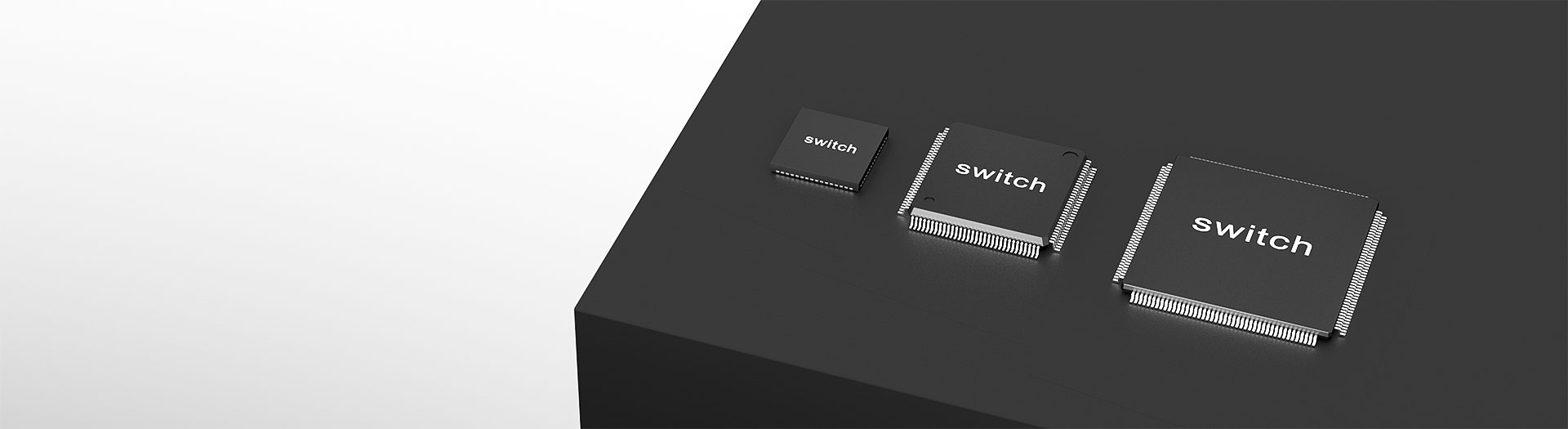
JL6110 is the most complete configuration in the range: eight external gigabit ports, two uplinks and 1000Base-X fibre support, in a TQFP176 package at 20 by 20 millimetres. Available in commercial and industrial temperature grades.
Artikelsuche und Produktauswahl
Die Tabelle verwendet die aktuellen Produktdatensätze der englischsprachigen Website, veröffentlichte Auswahlfelder und artikelspezifische Links zu technischen Dateien.
* Spalten „Bild“ und „Artikelnummer“ fixiert · horizontal ziehen, um alle Spezifikationen anzuzeigen
| Bild | Datenblatt | Vergleichen | Downloads |
Serie
|
Datenrate
|
Ports
|
Schnittstellenmodus
|
MAC-Schnittstellenspannung
|
Externe Versorgungsspannung
|
Kupfer-Port
|
Optischer Port
|
Temperatur
|
Gehäuse
|
Baugröße
|
Muster |
|---|
| Bild | Artikelnummer | Datenblatt | Vergleichen | Downloads | Serie | Datenrate | Ports | Schnittstellenmodus | MAC-Schnittstellenspannung | Externe Versorgungsspannung | Kupfer-Port | Optischer Port | Temperatur | Gehäuse | Baugröße | Muster |
|---|---|---|---|---|---|---|---|---|---|---|---|---|---|---|---|---|
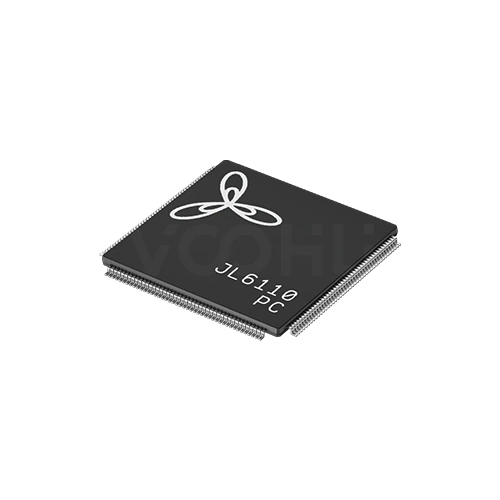 |
JL6110-PC | SPEC | JL6110-Serie | 1G | 8+2 | MII | 3.3V | 1.1V | 10 Base-T | 1000 Base-X | 0~70℃ | TQFP176 | 20*20 mm |
|
||
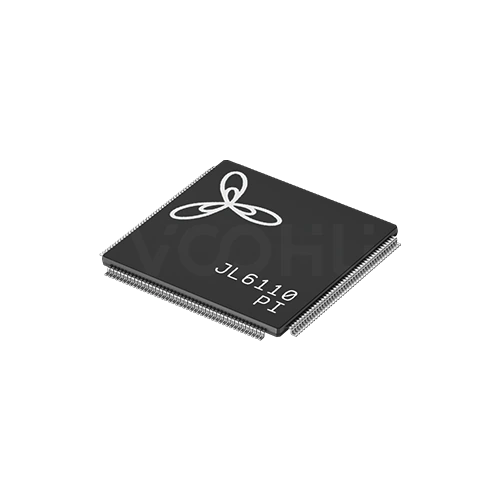 |
JL6110-PI | SPEC | JL6110-Serie | 1G | 8+2 | MII | 3.3V | 1.1V | 10 Base-T | 1000 Base-X | -40~85℃ | TQFP176 | 20*20 mm |
|
Erweitern Sie die ausgewählten Filter oder löschen Sie die aktuelle Suche.
By port topology
Port notation such as 5+1 means five external ports plus one host uplink.
So wählen Sie aus
Topology first, then speed, then the supply rails, then package and thermals.
Count the external ports you need, then decide whether the host has to send and receive traffic. If it does, you need a device with an uplink port.
The range covers 100M and gigabit. There are no 2.5G or faster devices here, so if the design needs those speeds, say so at enquiry.
Most devices need a low voltage core rail alongside the main supply. Confirm the rails and their sequencing before the power tree is fixed.
Packages run from QFN48 at 6 by 6 up to TQFP176 at 20 by 20 millimetres. Higher port counts concentrate more heat in one device.
Parameters
Port notation and the supply requirement are the two figures most often misread.
A figure such as 5+1 means five external ports plus one host uplink. A single figure such as 5 or 8 means external ports only, with no separate uplink.
100M on the JL51xx series, gigabit on the JL61xx series. Every device also supports 10Base-T on copper for legacy links.
MII on most devices with an uplink, RMII on the JL5104. Devices listed as NA have no dedicated host interface at all.
Typically a 3.3 volt main supply with a 1.1 volt core rail, or 1.1 volt alone on some gigabit parts. Missing a rail prevents the device starting.
1000Base-X appears on the JL6110 and on the S variants of the JL6107. Other devices in the range are copper only.
NC and PC suffixes cover 0 to 70 degrees; NI and PI cover minus 40 to 85. Not every series offers both grades.
Vergleichen
Port count and uplink presence separate the series more than speed does.
Zur Produktauswahl zurückkehren ↑| Serie | Artikelnummern | Datenrate | Ports | Schnittstellenmodus | MAC-Schnittstellenspannung | Externe Versorgungsspannung | Kupfer-Port | Optischer Port | Temperatur | Gehäuse | Baugröße | Aktion |
|---|---|---|---|---|---|---|---|---|---|---|---|---|
| JL5104-Serie | 2 | 100M | 3+1 | RMII | 3.3V | 3.3V(1.1V)¹ | 10 Base-T | NA | 0~70℃, -40~85℃ | QFN48 | 6*6 mm | Filtern → |
| JL5105-Serie | 2 | 100M | 5 | NA | NA | 3.3V(1.1V)¹ | 10 Base-T | NA | 0~70℃, -40~85℃ | QFN48 | 6*6 mm | Filtern → |
| JL5106-Serie | 2 | 100M | 5+1 | MII | 3.3V | 3.3V(1.1V)¹ | 10 Base-T | NA | 0~70℃, -40~85℃ | QFN64 | 9*9 mm | Filtern → |
| JL5108-Serie | 2 | 100M | 8 | NA | NA | 3.3V(1.1V)¹ | 10 Base-T | NA | 0~70℃, -40~85℃ | QFN64 | 9*9 mm | Filtern → |
| JL5109-Serie | 1 | 100M | 8+1 | MII | 3.3V | 3.3V(1.1V)¹ | 10 Base-T | NA | 0~70℃ | QFN88 | 10*10 mm | Filtern → |
| JL5110-Serie | 1 | 100M | 8+2 | MII | 3.3V | 3.3V(1.1V)¹ | 10 Base-T | NA | 0~70℃ | QFN88 | 10*10 mm | Filtern → |
| JL6105-Serie | 1 | 1G | 5 | NA | NA | 1.1V | 10 Base-T | NA | 0~70℃ | QFN88 | 10*10 mm | Filtern → |
| JL6107-Serie | 6 | 1G | 5+2 | MII | 1.8V | 1.1V, 3.3V(1.1V)¹ | 10 Base-T | NA, 1000 Base-X | 0~70℃, -40~85℃ | LQFP128 | 14*14 mm | Filtern → |
| JL6108-Serie | 1 | 1G | 8 | NA | NA | 1.1V | 10 Base-T | NA | 0~70℃ | LQFP128 | 20*14 mm | Filtern → |
| JL6110-Serie | 2 | 1G | 8+2 | MII | 3.3V | 1.1V | 10 Base-T | 1000 Base-X | 0~70℃, -40~85℃ | TQFP176 | 20*20 mm | Filtern → |
Anwendungsprüfung
Confirm the port topology, whether the host must manage traffic, and the environment.
Documents
Datasheets carry the supply sequencing, pinout and reference schematic per device.
Es werden repräsentative verfügbare Dateisätze angezeigt. Suchen Sie nach einer bestimmten Artikelnummer.
Die veröffentlichten Produktinhalte von VOOHU werden vom technischen Team geprüft. Spezifikationen, Downloads und Informationen zum technischen Support sind bestimmten Artikelnummern zugeordnet, sodass Sie sie vor einer Muster- oder Angebotsanfrage prüfen können.
Kategorieübersicht
Almost every selection question on switch ICs comes down to the port notation and whether the host controller needs to be on the network.
Neues Design besprechen
FAE für eine Ersatztypenprüfung kontaktieren.
Sie haben bereits eine Artikelnummer? Muster oder Angebot anfragen.
The first figure is external ports facing the outside world. The figure after the plus is a host uplink, a dedicated interface for the controller on the same board. A device listed as 5 has five external ports and no uplink, so the host cannot send or receive traffic through it. That distinction eliminates half the range.
If the product only has to move traffic between its own front panel ports, a device with external ports only is simpler and cheaper to lay out. If the host has to participate, for management, for remote access or because it originates data, you need an uplink and the host must provide the matching MII or RMII interface.
Most devices here need more than one rail: commonly 3.3 volts for the main supply and around 1.1 volts for the core, and some gigabit parts run the core alone. Missing a rail, or sequencing them wrongly, prevents the device starting. Confirm the rails and sequence before the power tree is committed.
FAQ
Answers cover port notation, uplinks, supply rails and fibre support.
It combines the highest port count in the gigabit range with two uplinks and 1000Base-X fibre support, in both commercial and industrial temperature grades. That covers managed switching, host access, cascading and a fibre uplink in one device, which no other part in the range does.
Configure the 1000Base-X mode as described in the datasheet reference design and pair it with a matching optical module. Decide during schematic design whether a given link is copper or fibre, because the external circuit differs and retrofitting it into a finished layout is difficult.
Twenty millimetres square with high pin count. You need space for eight gigabit pairs and their magnetics, the fibre interface, two uplinks and the decoupling network, planned as a whole. Follow the datasheet layout and thermal guidance and validate the assembly process on real boards.
Both the PC suffix at 0 to 70 degrees and the PI suffix at minus 40 to 85 are listed, which makes this one of the few series in the range offering an industrial grade. Select against the enclosure temperature at the highest rated ambient.
With a complete part number, send the part number, quantity, delivery region and the date you need it. If you are still selecting, send the port topology, whether you need a fibre uplink, the target optical module and the temperature range.
Technischer Support
Senden Sie die Artikelnummer des Kandidaten und die zu prüfende Bedingung. Muster können nach Abschluss der Auswahl angefragt werden; kaufmännische Fragen lassen sich im selben technischen Austausch klären.
Dokumentrevision angeben
Temperatur, Isolationsspannung und Bezugsgrundlage für den PoE-Strom
Pinzahl, Rastermaß und Abstand zwischen den Pinreihen
Zur Priorisierung von Mustern und Evaluierung
Zeitpunkt, zu dem Sie Kandidaten und einen Vergleich der Unterschiede benötigen
Die technische Prüfung ermittelt geeignete Kandidaten und erläutert die Unterschiede.
Aus der Produktauswahl oder technischen Prüfung
Prototyp / Pilotserie / Serienfertigung
Zeitplan für Muster und Serie getrennt angeben
Konformitätsnachweise, Materialdeklarationen oder Berichte Dritter
Mustermenge, Lieferzeit und Kosten hängen von der Projektphase und der Artikelnummer ab. Der Vertrieb antwortet an Werktagen.




