Link speed
100M, 1G or 2.5G depending on series. All devices also support 10Base-T on the copper side, so legacy links remain available.

Ethernet Interface Chip products
The range covers 100M, 1G and 2.5G links in single-port and eight-port devices, with RMII, MII, RGMII, SGMII and QSGMII on the MAC side. Start from the interface your host controller provides, then narrow by speed, port count, fibre support and temperature grade.
Part number search & selector
The table uses the current English-site product records, published selection fields and part-specific technical-file links.
* Frozen Image and Part Number columns · drag horizontally to review all specifications
| Image | Datasheet | Compare | Downloads |
Series
|
Data Rate
|
Ports
|
MAC Interface
|
V(if)
|
Copper Port
|
Optical Port
|
Mode
|
Temperature
|
Package
|
Size
|
Sample |
|---|
| Image | Part number | Datasheet | Compare | Downloads | Series | Data Rate | Ports | MAC Interface | V(if) | Copper Port | Optical Port | Mode | Temperature | Package | Size | Sample |
|---|---|---|---|---|---|---|---|---|---|---|---|---|---|---|---|---|
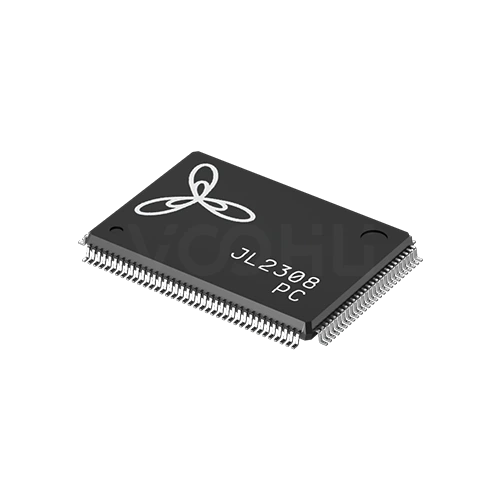 |
JL2308-PC | SPEC | JL2308 series | 1G | 8 | QSGMII | NA | 10 Bsae-T | NA | QSGMII-COP | 0~70℃ | LQFP128 | 20*14 mm |
|
||
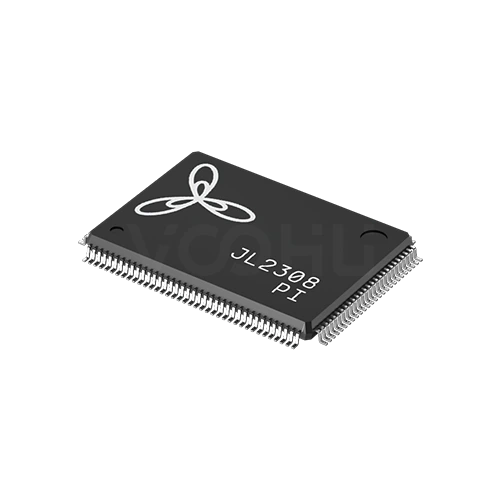 |
JL2308-PI | SPEC | JL2308 series | 1G | 8 | QSGMII | NA | 10 Bsae-T | NA | QSGMII-COP | -40~85℃ | LQFP128 | 20*14 mm |
|
Broaden the selected filters or clear the current search.
By series
Series are separated by link speed, port count and the MAC interface they present.
How to select
MAC interface first, then speed and ports, then fibre, then temperature and package.
Confirm what your host controller provides: RMII, MII, RGMII, SGMII or QSGMII. These are not interchangeable, and the wrong choice cannot be fixed in software.
100M, 1G or 2.5G, and one port or eight. Eight-port devices aggregate to the host over QSGMII, so confirm the host has that bandwidth.
Some series support 100Base-FX or 1000Base-X, others are copper only. If the design needs a fibre port, check the specific part number rather than the series.
Suffixes separate 0 to 70, minus 40 to 85 and minus 40 to 105 degrees. Choose against the enclosure's internal temperature, not the room.
Parameters
The MAC interface and the temperature suffix decide compatibility more than speed does.
100M, 1G or 2.5G depending on series. All devices also support 10Base-T on the copper side, so legacy links remain available.
Single port for most series, or eight ports on the JL2308 and JL2388. Eight-port devices need a QSGMII-capable host.
RMII, MII, RGMII, SGMII or QSGMII. This has to match the host controller exactly; no external conversion makes two of them equivalent.
100Base-FX on parts of the 100M range, 1000Base-X on JL2201 and 2500Base-X on JL4201. Several series are copper only, marked NA.
The suffix carries it: NC for 0 to 70, NI for minus 40 to 85, NE for minus 40 to 105 degrees. Confirm the grade on the exact part number.
From QFN24 at 4 by 4 millimetres up to LQFP128 at 14 by 14. Pin count rises with port count and interface width.
Compare
Speed, port count and MAC interface together define which series fits a design.
Return to the selector ↑| Series | Parts | Data Rate | Ports | MAC Interface | V(if) | Copper Port | Optical Port | Mode | Temperature | Package | Size | Action |
|---|---|---|---|---|---|---|---|---|---|---|---|---|
| JL1101 series | 1 | 100M | 1 | RMII | 1.8V | 10 Bsae-T | 100 Base-FX | RMII-COP | -40~85℃ | QFN24 | 4*4 mm | Filter → |
| JL1111 series | 4 | 100M | 1 | MII | 1.8V | 10 Bsae-T | NA, 100 Base-FX | MII-COP | 0~70℃, -40~85℃, -40~105℃ | QFN32 | 5*5 mm, Not specified | Filter → |
| JL2101 series | 5 | 1G | 1 | RGMII | 1.8V | 10 Bsae-T | NA | RGMII-COP | 0~70℃, -40~85℃, -40~105℃ | QFN40 | 5*5 mm | Filter → |
| JL2201 series | 2 | 1G | 1 | RGMII | 1.8V | 10 Bsae-T | 1000 Base-X | RGMII-COP | 0~70℃, -40~85℃ | QFN48 | 6*6 mm | Filter → |
| JL2308 series | 2 | 1G | 8 | QSGMII | NA | 10 Bsae-T | NA | QSGMII-COP | 0~70℃, -40~85℃ | LQFP128 | 20*14 mm | Filter → |
| JL2388 series | 2 | 1G | 8 | QSGMII | NA | 10 Bsae-T | NA | QSGMII-COP | 0~70℃, -40~85℃ | LQFP128 | 20*14 mm | Filter → |
| JL4201 series | 2 | 2.5G | 1 | SGMII | NA | 10 Bsae-T | 2500 Base-X | (H)SGMII-COP | 0~70℃, -40~85℃ | QFN48 | 6*6 mm | Filter → |
Application review
Confirm the host interface, the link speed and the environment the board runs in.
Documents
Datasheets carry the pinout, reference schematic and layout guidance for each series.
Showing representative available file sets. Search to find a specific SKU.
VOOHU’s published product content is reviewed by its engineering team. Specifications, downloads and technical support information are tied to specific part numbers, so you can verify them before requesting samples or a quotation.
Category overview
The most common selection error here is starting from link speed. The MAC interface is the constraint that cannot be worked around.
Discuss a new design
Contact FAE for a replacement assessment.
Already have a part number? Request samples or a quote.
RMII, MII, RGMII, SGMII and QSGMII are different electrical and timing arrangements, not tiers of the same thing. A host that provides RGMII cannot drive an RMII device, and no software setting bridges them. Establish what your controller offers first, because it eliminates most of the range before speed is even considered.
Every device here supports copper, including 10Base-T. Fibre is selective: 100Base-FX appears on parts of the 100M range, 1000Base-X on the JL2201 and 2500Base-X on the JL4201. Fibre support is stated per part number rather than per series, so one variant of a series may have it and another may not.
The letters after the base number carry the rating. NC covers 0 to 70 degrees, NI covers minus 40 to 85, NE covers minus 40 to 105. Select against the temperature inside the enclosure at the highest ambient the product is rated for, not against room temperature.
FAQ
Answers cover interface choice, fibre support, temperature grades and layout.
Whichever your host controller provides. RMII, MII, RGMII, SGMII and QSGMII are different electrical and timing schemes, not performance tiers. A host with RGMII cannot drive an RMII device and no software setting bridges them. Confirm the controller's interface first, then filter the PHY range on it.
100M on the JL1101 and JL1111 series, 1G on the JL2101, JL2201, JL2308 and JL2388, and 2.5G on the JL4201. All devices also support 10Base-T on copper. There are no 5G or 10G devices in this range, so if you need those speeds, tell us and we will check availability.
100Base-FX appears on the JL1101 and on several JL1111 variants. 1000Base-X is supported on the JL2201 and 2500Base-X on the JL4201. Other series are copper only. Fibre support is defined per part number, so check the exact suffix rather than assuming it applies across a series.
They carry the temperature grade. NC is 0 to 70 degrees, NI is minus 40 to 85, and NE is minus 40 to 105. Choose against the temperature inside your enclosure at the highest rated ambient, allowing for the heat the board itself generates, not against room temperature.
Yes. The JL1111 series includes a variant identified as EtherCAT in the part number. Note that this variant is listed without fibre support, unlike other JL1111 parts. If your design needs EtherCAT, specify it at enquiry so the right variant is quoted.
The JL2308 and JL2388 aggregate all eight links to the host over QSGMII, a serial interface that carries multiple lanes on one pair. Your host must provide QSGMII and enough bandwidth for the aggregate traffic. The layout also has to carry those serial lanes with controlled impedance.
The range is specified to commercial, industrial and extended industrial temperature grades, up to minus 40 to 105 degrees. That is not the same as automotive qualification under AEC-Q100. If your programme requires automotive qualification, tell us and we will confirm what is available.
With a complete part number, send the part number, quantity, delivery region and the date you need it. If you are still selecting, send the host controller and its MAC interface, the required link speed and port count, whether you need fibre, and the operating temperature range.
Engineer support
Send the candidate part number and the condition you need reviewed. Sample support can be added after the selection is clear; commercial questions may be discussed in the same engineering conversation.
Include the document revision
Temperature, isolation voltage and PoE current basis
Pin count, pitch and spacing between pin rows
To help prioritize samples and evaluation
When you need candidates and a comparison of differences
Engineering review identifies candidate parts and explains the differences.
From the selector or engineering review
Prototyping / pilot build / production
Specify sample and production timing separately
Compliance documents, material declarations or third-party reports
Sample quantity, lead time and cost depend on the project stage and part number. Sales will respond on business days.