Wiring method
Straight-through and 90° adapter types are feedthroughs; plug board types are a board mount RJ45 soldered to a PCB; the waterproof male type is a crimped waterproof RJ45 plug.
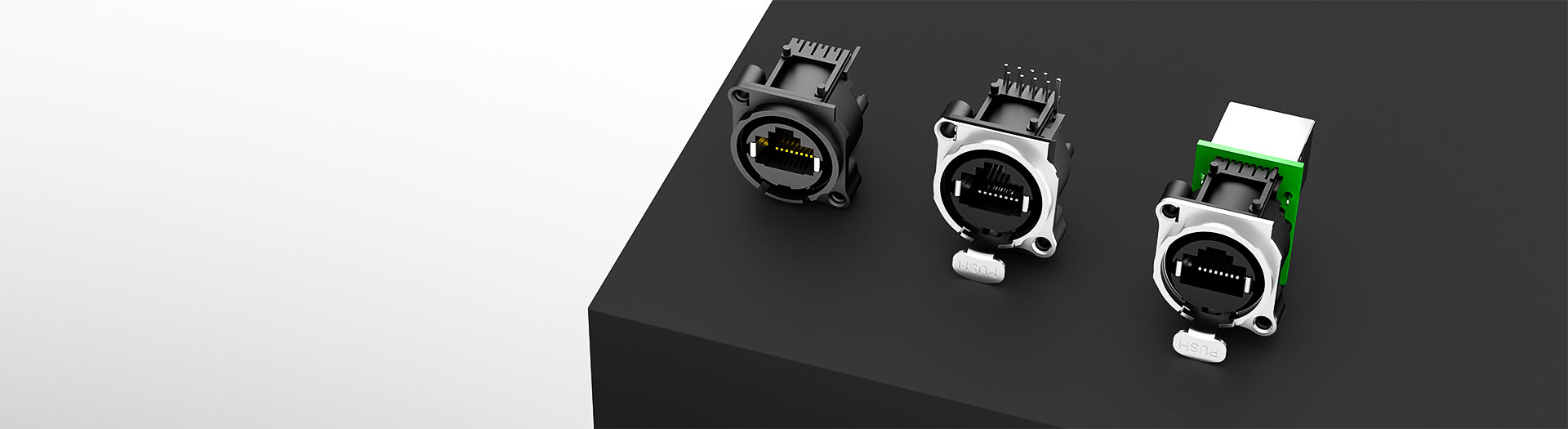
I/O Connector products
Find a locking RJ45 interface for your equipment panel or PCB. Compare feedthrough, board-mount and adapter designs by orientation, locking mechanism and available space. Check the mating connector before choosing a part, or request samples and pricing for a known part number.
Part number search & selector
The table uses the current English-site product records, published selection fields and part-specific technical-file links.
* Frozen Image and Part Number columns · drag horizontally to review all specifications
| Image | Datasheet | Compare | Downloads |
Wiring method
|
Dimensions (L×W×H, mm)
|
Installation/welding process
|
Locking device
|
Number of plugging and unplugging (times)
|
Contact rated current (DC)
|
Contact rated voltage (AC)
|
Operating temperature
|
Operating humidity
|
Sample |
|---|
| Image | Part number | Datasheet | Compare | Downloads | Wiring method | Dimensions (L×W×H, mm) | Installation/welding process | Locking device | Number of plugging and unplugging (times) | Contact rated current (DC) | Contact rated voltage (AC) | Operating temperature | Operating humidity | Sample |
|---|---|---|---|---|---|---|---|---|---|---|---|---|---|---|
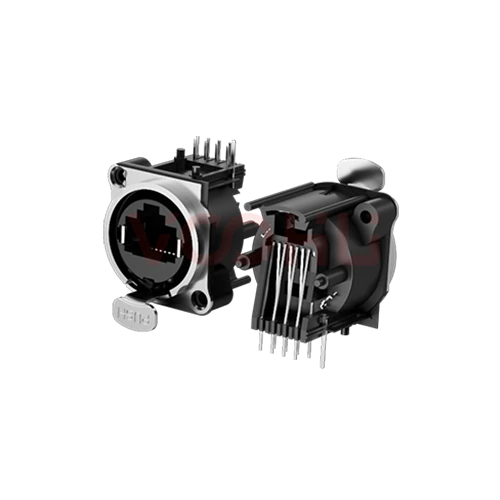 |
WHA9080001051AB35 | SPEC | 90° plug board | 25×29.5×25.2 | Wave soldering capable | Latch lock | 750 | 1.5A | 125V | -40 °C~+85 °C | 20~70% |
|
||
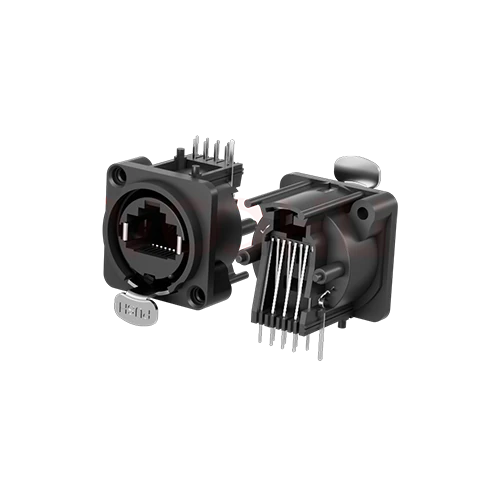 |
WH80000051AB35 | SPEC | 90° plug board | 25×29.5×25.2 | Wave soldering capable | Latch lock | 1000 | 1.5A | 125V | -40 °C~+85 °C | 20~70% |
|
||
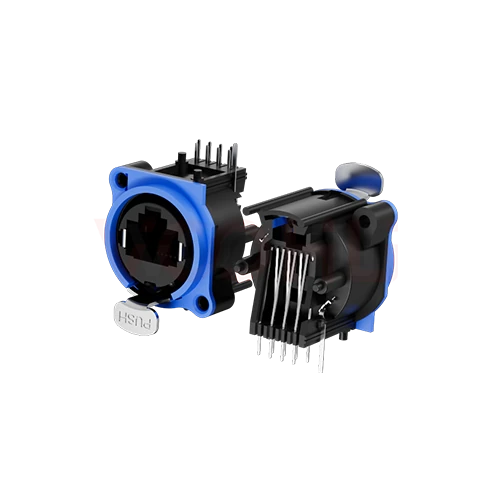 |
WH80000051AB35S | SPEC | 90° plug board | 25×29.5×25.2 | Wave soldering capable | Latch lock | 1000 | 1.5A | 125V | -40 °C~+85 °C | 20~70% |
|
||
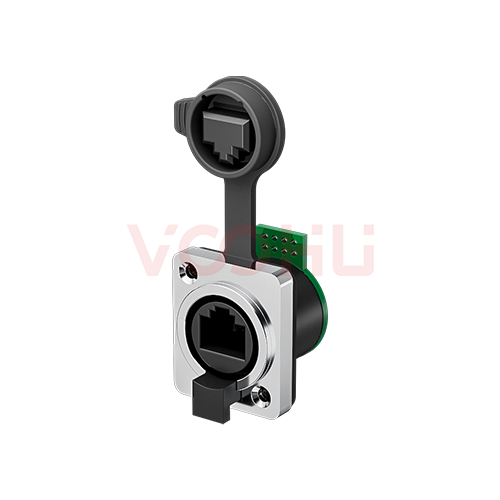 |
WHK6380005V432000 | SPEC | 90° plug board | 28×33×34.75 | Wave soldering capable | Latch lock | 1000 | 1.5A | 125V | -40 °C~+85 °C | 20~70% |
|
Broaden the selected filters or clear the current search.
Is this another brand's part number? Find the VOOHU replacement →
Product family quick links
Counts by wiring method come from the current records: straight-through feedthroughs, board-mount versions, a 90° adapter and a crimped waterproof male plug.
How to select
A locking RJ45 is chosen around the plug it has to hold. Fix the mating part and the rear connection first, then the space, the retention mechanism and finally a sample in the real assembly.
Identify the mating plug and whether the rear side is a cable, a PCB or an adapter. A locking RJ45 jack only locks against the plug design it was drawn for.
Read the panel cutout, wall thickness, screw holes and cable clearance from the drawing; listed bodies run from 25×29.5×25.2 mm to 28×33×34.75 mm.
Compare latch lock, internal clip and spiral retention, then the contact current, voltage, temperature and humidity limits of each locking RJ45.
Check mating, release and cable pull in the new design. For a known part number, send quantity and timing straight to sales.
Key selection parameters
These are the columns of the locking RJ45 selector. Read each value with its unit and test condition; a plugging-cycle count is not a vibration rating.
Straight-through and 90° adapter types are feedthroughs; plug board types are a board mount RJ45 soldered to a PCB; the waterproof male type is a crimped waterproof RJ45 plug.
Compare the locking RJ45 L×W×H envelope with panel and board space. Feedthroughs fix with self-tapping screws; plug board types are listed as wave-soldering capable.
Latch lock, internal clip or spiral lock. Each needs its matching plug and a different release movement, so check finger access in front of the panel.
1000 mating cycles are listed across the locking RJ45 range. The figure describes wear over repeated use, not shock or vibration resistance.
1.5 A DC per contact, 50 V or 125 V AC, -40 °C to +85 °C on most parts and 20–70% humidity where stated. Connector shape does not set system PoE capability.
Product family comparison
A straight-through RJ45 feedthrough, a board-mount version, a 90° adapter and a cable plug share the locking idea but not the rear connection. Use this summary to pick the locking RJ45 wiring method, then confirm every value in the exact part row.
Return to the selector ↑| Wiring method | Parts | Dimensions (L×W×H, mm) | Installation/welding process | Locking device | Number of plugging and unplugging (times) | Contact rated current (DC) | Contact rated voltage (AC) | Operating temperature | Operating humidity | Action |
|---|---|---|---|---|---|---|---|---|---|---|
| 180° straight through | 3 | 28×33×34.75, 25×30.2×41.5 | 3M self-tapping screws | Latch lock | 1000 | 1.5A | 50V, 125V | -30 °C to +80 °C, -40 °C~+85 °C | 20~70%, - | Filter → |
| 180° plug board | 4 | 25×29.5×25.2 | Wave soldering capable | Latch lock, Internal card | 1000, 750 | 1.5A | 125V | -40 °C~+85 °C | 20~70% | Filter → |
| 90° Adapter | 2 | 28×33×34.75 | 3M self-tapping screws | Latch lock | 1000 | 1.5A | 125V | -40 °C~+85 °C | 20~70% | Filter → |
| 90° plug board | 4 | 28×33×34.75, 25×29.5×25.2 | Wave soldering capable | Latch lock | 1000, 750 | 1.5A | 125V | -40 °C~+85 °C | 20~70% | Filter → |
| Waterproof male connector | 1 | 28×33×34.75 | Crimping process | Spiral Lock | 1000 | 1.5A | 125V | -40 °C~+85 °C | 20~70% | Filter → |
Technical performance & application fit
A latching RJ45 helps wherever a cable is pulled, stepped on or shaken. Review the mating side, the grounding and the real mechanical load before release; a lock does not replace an equipment-level vibration test.
Downloads & technical resources
Search a full or partial part number to open its datasheet or 3D model. Plug board versions need a PCB footprint; if none is listed, ask for the design data instead of working from a feedthrough outline.
Showing representative available file sets. Search to find a specific SKU.
VOOHU’s published product content is reviewed by its engineering team. Specifications, downloads and technical support information are tied to specific part numbers, so you can verify them before requesting samples or a quotation.
Category overview
A locking RJ45 solves one specific problem: on a standard RJ45 the small plastic latch is the weakest part of the link.
The retention on an ordinary RJ45 is a small moulded plastic tab. It breaks, it snags when cables are pulled through, and under vibration it allows enough movement to produce intermittent contact. In an office that is an inconvenience. On a machine, a vehicle or a stage rig it is a fault that is hard to trace.
A rugged RJ45 or industrial RJ45 port moves retention from the plug tab to the housing, so the mated pair stays put when the cable is pulled, shaken or knocked. That is the whole case for paying more for a locking RJ45 connector.
The published locking devices are a latch lock, an internal clip and a spiral lock. The latch and clip versions hold the plug with a positive catch in the housing that releases only with a deliberate action. The spiral lock on the waterproof male version is a threaded, screw lock style coupling, closer in principle to a bayonet or M12 nut than to a plain RJ45 tab.
Each locking RJ45 mechanism expects a matching counterpart. A standard patch cord may enter a lockable RJ45 jack without engaging its lock at all, so check the mating plug before relying on retention.
For a locking RJ45 panel mount, the 180° straight-through feedthroughs fix to the wall with self-tapping screws and carry the link straight through. A locking RJ45 PCB mount version, listed as plug board, solders to the board behind the panel and is wave-soldering capable. The 90° locking RJ45 adapter turns the cable through a right angle in the same 28×33×34.75 mm envelope as the 180° feedthrough.
Where the housing gives the cable screen a termination point, it only helps if the panel or board provides a defined low impedance path to chassis. A floating shell adds no shielding benefit.
FAQ & related guides
Answers on mating plugs, mounting, waterproofing and replacement. The exact limits for each locking RJ45 part number come from its datasheet.
It may physically accept one, but that does not mean the locking RJ45 engages. Contact engagement, housing clearance and latch operation all need checking against the plug the part was designed for. Share the plug part number or drawing and our FAE team will confirm the mating pair.
A straight-through version is a feedthrough with a cable on both sides of the panel. A plug board version terminates to a circuit board and is wave-soldering capable. The same angle does not mean the same rear termination, mounting holes or panel position.
Panel cutout, screw holes, front and rear projection, PCB pattern and board-edge position. Leave room for the hand that releases the latch and for the cable bend. Matching outer dimensions alone do not prove two parts are interchangeable.
Not by default. Retention and ingress protection are separate properties, and this table publishes no ingress grade, even for the waterproof male version, so confirm that in its datasheet. If the design needs an IP67 RJ45 interface, compare the waterproof range linked under related categories, where grades are listed part by part.
Not always. A secure RJ45 often means a port blocker or lock-in insert that stops unauthorised cables being plugged in. On this page, locking means mechanical retention of the mated plug against pull and vibration.
A locking RJ45 removes the plastic tab as the weak point, but the catalog lists mating cycles, not a shock or vibration rating. For an industrial locking RJ45 on a machine or vehicle, ask for test evidence at your vibration profile and validate the cable support behind the plug as well.
A review is needed first. Provide the existing part, the plug and receptacle drawings, the wiring and any fixed installation constraints. FAE can propose candidates and explain the differences; treat each one as a functional alternative until samples pass in your design.
Send the part number, quantity, project stage, destination and timing. If the part is not chosen yet, describe the mounting, the mating plug and the environment so sales engineering and FAE can respond with candidates.
Engineer support
Send the candidate part number and the condition you need reviewed. Sample support can be added after the selection is clear; commercial questions may be discussed in the same engineering conversation.
Include the document revision
Temperature, isolation voltage and PoE current basis
Pin count, pitch and spacing between pin rows
To help prioritize samples and evaluation
When you need candidates and a comparison of differences
Engineering review identifies candidate parts and explains the differences.
From the selector or engineering review
Prototyping / pilot build / production
Specify sample and production timing separately
Compliance documents, material declarations or third-party reports
Samples are available for evaluation, and selected parts are free of charge. Our FAE team will be glad to confirm the options for your project. Sales will respond on business days.