




Port notation
A figure such as 5+1 means five external ports plus one host uplink, and 8+2 means eight plus two. A single figure such as 5 or 8 means external ports only, with no uplink.
Ethernet ICs
VOOHU is an authorized distributor for the JLSemi switch ICs on this page. The range covers 100M and gigabit switching from three to ten ports, with or without a host uplink. Start from the port topology your design needs, because whether the host takes part in forwarding decides the series long before speed or package does.
For OEM and volume orders. MOQ is one full reel, tray or tube per part.
Part number search & selector
The table uses the current English-site product records, published selection fields and part-specific technical-file links.
* Frozen Image and Part Number columns · drag horizontally to review all specifications
| Image | Datasheet | Compare | Downloads |
Series
|
Data Rate
|
Ports
|
Interface Mode
|
MAC interface voltage
|
External supply voltage
|
Copper Port
|
Optical Port
|
Temperature
|
Package
|
Size
|
Sample |
|---|
| Image | Part number | Datasheet | Compare | Downloads | Series | Data Rate | Ports | Interface Mode | MAC interface voltage | External supply voltage | Copper Port | Optical Port | Temperature | Package | Size | Sample |
|---|---|---|---|---|---|---|---|---|---|---|---|---|---|---|---|---|
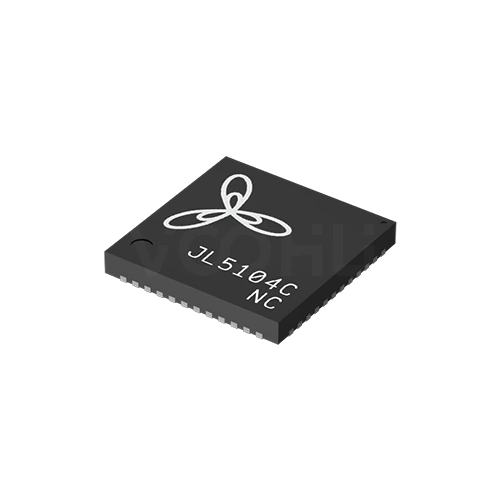 |
JL5104C-NC | SPEC | JL5104 series | 100M | 3+1 | RMII | 3.3V | 3.3V(1.1V)¹ | 10 Base-T | NA | 0~70℃ | QFN48 | 6*6 mm |
|
||
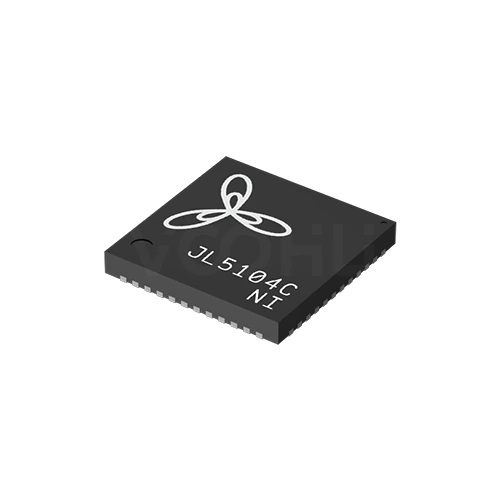 |
JL5104C-NI | SPEC | JL5104 series | 100M | 3+1 | RMII | 3.3V | 3.3V(1.1V)¹ | 10 Base-T | NA | -40~85℃ | QFN48 | 6*6 mm |
|
Broaden the selected filters or clear the current search.
Is this another brand's part number? Find the VOOHU replacement →
By port topology
Port notation such as 5+1 means five external ports plus one host uplink.
How to select
Port topology decides the series; speed, supply rails, fiber and package then narrow it to one part number.
Count the external ports you need, then decide whether the host has to send and receive traffic. If it does, you need an Ethernet switch IC with an uplink port, such as a 3+1, 5+1 or 8+2 device.
The JL51xx series are 100M Ethernet switch IC parts and the JL61xx series are gigabit. There are no 2.5G or faster devices here, so if the design needs those speeds, say so at enquiry.
Most switch ICs here pair a 3.3 V supply with a core rail around 1.1 V, and several gigabit parts list 1.1 V alone. Confirm the rails and their sequencing before the power tree is fixed.
Packages run from QFN48 at 6 by 6 mm up to TQFP176 at 20 by 20 mm. Higher port counts concentrate more heat in one switch chip, so plan the thermal pad and copper area early.
Parameters
Port notation and the supply requirement are the two figures most often misread on an Ethernet switch IC datasheet.
A figure such as 5+1 means five external ports plus one host uplink, and 8+2 means eight plus two. A single figure such as 5 or 8 means external ports only, with no uplink.
100M on the JL51xx series, gigabit on the JL61xx series. Every switch IC also lists 10Base-T on its copper ports for legacy links.
MII on most devices with an uplink, RMII on the JL5104, and NA where there is no host interface. No uplink in this range is listed as RGMII, so check the host MAC before you commit.
Typically a 3.3 V supply with a 1.1 V core rail, or 1.1 V alone on some gigabit parts. A missing or mis-sequenced rail prevents the switch IC starting.
1000Base-X appears on the JL6110 and on the S and SC variants of the JL6107. It is a serial SerDes port toward an optical module; the rest of the range is copper only.
NC and PC suffixes cover 0 to 70 degrees; NI and PI cover minus 40 to 85 and are the industrial Ethernet switch IC options. Not every series offers both grades.
Compare
The JL51xx devices switch at 100M and the JL61xx devices at gigabit; within each group, port count and the number of host uplinks separate the series.
Return to the selector ↑| Series | Parts | Data Rate | Ports | Interface Mode | MAC interface voltage | External supply voltage | Copper Port | Optical Port | Temperature | Package | Size | Action |
|---|---|---|---|---|---|---|---|---|---|---|---|---|
| JL5104 series | 2 | 100M | 3+1 | RMII | 3.3V | 3.3V(1.1V)¹ | 10 Base-T | NA | 0~70℃, -40~85℃ | QFN48 | 6*6 mm | Filter → |
| JL5105 series | 2 | 100M | 5 | NA | NA | 3.3V(1.1V)¹ | 10 Base-T | NA | 0~70℃, -40~85℃ | QFN48 | 6*6 mm | Filter → |
| JL5106 series | 2 | 100M | 5+1 | MII | 3.3V | 3.3V(1.1V)¹ | 10 Base-T | NA | 0~70℃, -40~85℃ | QFN64 | 9*9 mm | Filter → |
| JL5108 series | 2 | 100M | 8 | NA | NA | 3.3V(1.1V)¹ | 10 Base-T | NA | 0~70℃, -40~85℃ | QFN64 | 9*9 mm | Filter → |
| JL5109 series | 1 | 100M | 8+1 | MII | 3.3V | 3.3V(1.1V)¹ | 10 Base-T | NA | 0~70℃ | QFN88 | 10*10 mm | Filter → |
| JL5110 series | 1 | 100M | 8+2 | MII | 3.3V | 3.3V(1.1V)¹ | 10 Base-T | NA | 0~70℃ | QFN88 | 10*10 mm | Filter → |
| JL6105 series | 1 | 1G | 5 | NA | NA | 1.1V | 10 Base-T | NA | 0~70℃ | QFN88 | 10*10 mm | Filter → |
| JL6107 series | 6 | 1G | 5+2 | MII | 1.8V | 1.1V, 3.3V(1.1V)¹ | 10 Base-T | NA, 1000 Base-X | 0~70℃, -40~85℃ | LQFP128 | 14*14 mm | Filter → |
| JL6108 series | 1 | 1G | 8 | NA | NA | 1.1V | 10 Base-T | NA | 0~70℃ | LQFP128 | 20*14 mm | Filter → |
| JL6110 series | 2 | 1G | 8+2 | MII | 3.3V | 1.1V | 10 Base-T | 1000 Base-X | 0~70℃, -40~85℃ | TQFP176 | 20*20 mm | Filter → |
Application review
Confirm the port topology, whether the host must send or receive traffic, the fiber requirement and the environment before fixing the switch chip.
Documents
Each Ethernet switch IC datasheet carries the supply sequencing, pinout and reference schematic for its device.
Showing representative available file sets. Search to find a specific SKU.
VOOHU’s published product content is reviewed by its engineering team. Specifications, downloads and technical support information are tied to specific part numbers, so you can verify them before requesting samples or a quotation.
Category overview
Almost every selection question on an Ethernet switch IC comes down to the port notation and whether the host controller needs to be on the network. The notes below also cover supply rails and the features to check in the datasheet.
The first figure counts the external ports facing the outside world. The figure after the plus counts host uplinks, dedicated interfaces for the controller on the same board. A device listed as 5 has five external ports and no uplink, so the host cannot send or receive traffic through it. That distinction eliminates half the range.
The same notation maps onto the series. A 5 port Ethernet switch IC here is the JL5105, JL5106, JL6105 or JL6107, depending on speed and uplinks, and an 8 port Ethernet switch IC is the JL5108, JL5109, JL5110, JL6108 or JL6110. Each is an L2 switch IC that forwards frames between its ports by MAC address.
If the product only moves traffic between its own front panel ports, a device without an uplink is simpler and cheaper to lay out, and is the usual basis of an unmanaged switch IC design. If the host has to take part, for management, for remote access or because it originates data, you need an uplink, and the host must provide the matching MII or RMII interface. The JL5104 is the Ethernet switch IC with RMII uplink in this range; the other uplink devices use MII.
Each external copper port still needs magnetics and an RJ45 jack between the switch chip and the cable. Those parts are made by VOOHU: LAN transformers in its own magnetics factory in Mianyang and RJ45 jacks in its connector factory in Dongguan, so the FAE team can match them to 100M or gigabit ports. The switch ICs themselves are supplied by VOOHU as an authorized distributor for JLSemi.
Most Ethernet switch IC devices here need more than one rail: commonly 3.3 V for the main supply and around 1.1 V for the core, while some gigabit parts run from the core rail alone. Missing a rail, or sequencing the rails wrongly, prevents the device starting, so confirm both in the Ethernet switch IC datasheet before the power tree is committed.
The selector table lists ports, uplinks, rails, fiber and package, not switching features. If the design needs VLAN, QoS, IGMP snooping, jumbo frame support or configuration from an external EEPROM, check the datasheet of the exact device, and treat managed versus unmanaged operation as a datasheet question rather than an assumption.
FAQ
Answers cover port notation, uplinks, speed, naming, fiber support, supply rails, cascading and how to request parts.
Five external ports facing the network, plus one dedicated host uplink for the controller on the same board. A device listed with a single figure, such as 5 or 8, has that many external ports and no uplink, which means the host cannot send or receive traffic through the Ethernet switch IC at all.
Only if the host controller has to be on the network, whether to manage the switch, to be reachable remotely, or because it originates traffic. If the product only forwards between its own front panel ports, a device without an uplink is simpler to design and lay out.
The JL51xx parts are 100M switch IC devices and the JL61xx parts are gigabit switch IC devices, with 10Base-T listed on the copper ports throughout. There are no 2.5G, 5G or 10G devices in this range. If your design needs multi-gigabit switching, tell us at enquiry and we will confirm what is available.
Yes, in practice. Buyers often ask for an Ethernet switch chip, and some datasheets say Ethernet switch controller. Larger devices that add a processor are sometimes marketed as a switch SoC. Whatever the label, the checks are the same: ports, uplinks, speed, supply rails and the features listed in the datasheet.
1000Base-X is listed on the JL6110 and on the S and SC variants of the JL6107 series. The remaining devices are copper only. Because fiber support varies between variants within a series, check the complete part number rather than relying on the series name.
Most need a 3.3 V main supply together with a core rail around 1.1 V, while some gigabit parts run from the core rail alone. The datasheet states both the rails and the order in which they must come up. A missing or mis-sequenced rail usually prevents the device starting.
An Ethernet switch IC with two uplinks allows one link to the host and one to a second switch. Before doing so, estimate how much traffic crosses between the two devices, because everything that crosses has to pass through the cascade link, which can become the bottleneck for the whole design.
Datasheets are linked from each part number in the table, and the reference schematic in each one is where an Ethernet switch IC reference design starts. Our FAE team can help review the port side, including the choice of magnetics and RJ45 jacks. VOOHU is an authorized distributor for the JLSemi switch ICs on this page. To request samples or a quote, give the part number, quantity and target date; if you are still choosing, give the port count, uplink need, speed, fiber requirement and temperature range. Samples are available for evaluation, and selected parts are free of charge. Our FAE team will be glad to confirm the options for your project.
Engineer support
Send the candidate part number and the condition you need reviewed. Sample support can be added after the selection is clear; commercial questions may be discussed in the same engineering conversation.
Include the document revision
Temperature, isolation voltage and PoE current basis
Pin count, pitch and spacing between pin rows
To help prioritize samples and evaluation
When you need candidates and a comparison of differences
Engineering review identifies candidate parts and explains the differences.
From the selector or engineering review
Prototyping / pilot build / production
Specify sample and production timing separately
Compliance documents, material declarations or third-party reports
Samples are available for evaluation, and selected parts are free of charge. Our FAE team will be glad to confirm the options for your project. Sales will respond on business days.